
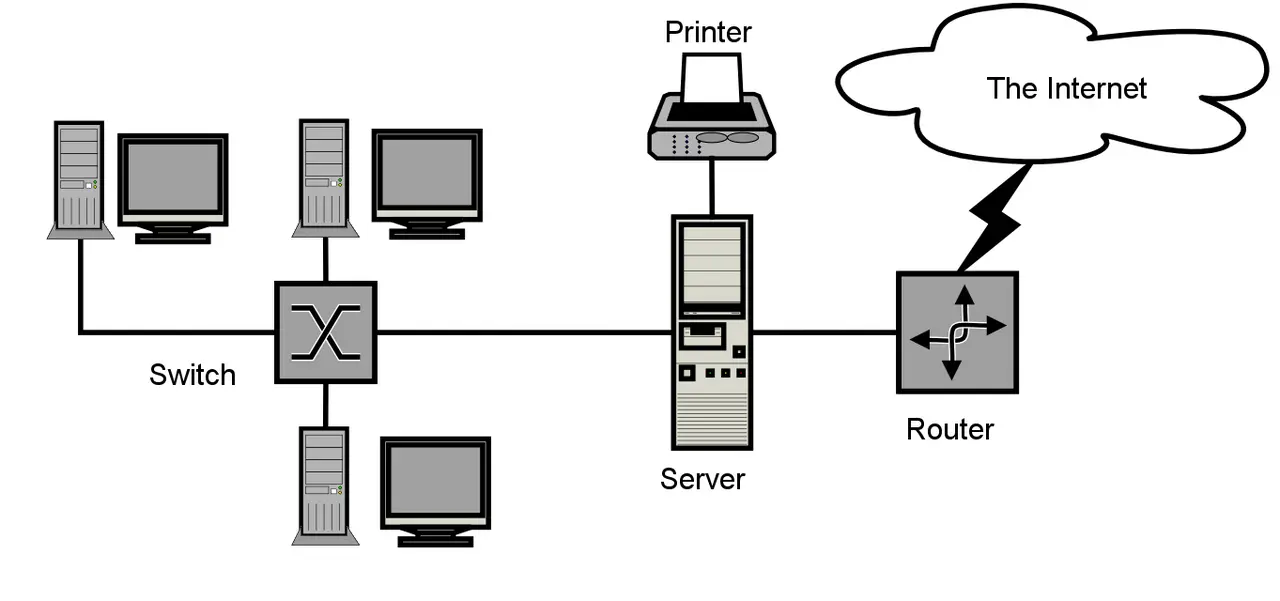
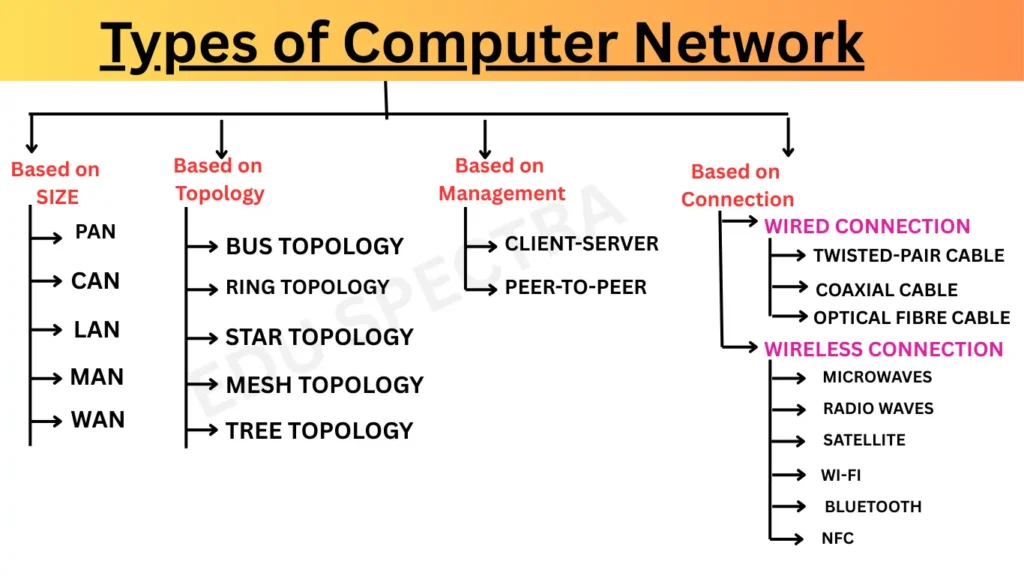
Types of Network based on geographical area.
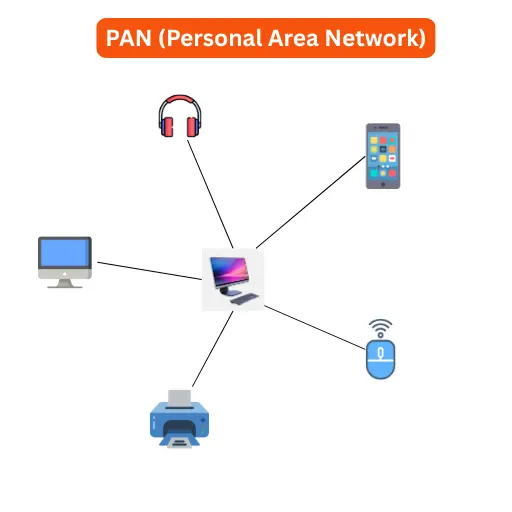
A PAN is organised within the environment of an individual user.It can cover an area of less than 10 meters.It is used for communication between laptops, smartphones, etc.
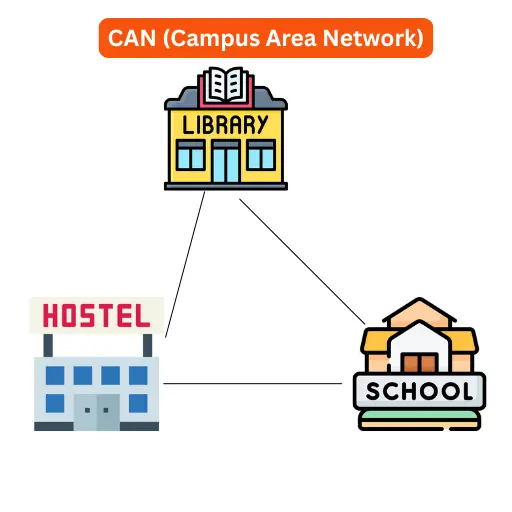
2. CAN (Campus Area Network) :- It is interconnects multiple LANs within a particulars buildings.
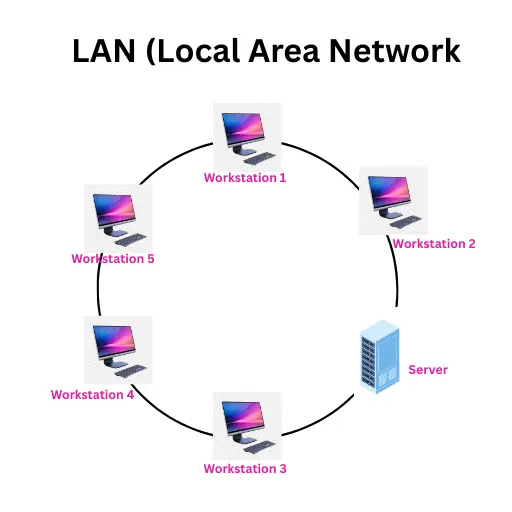
3. LAN is a computer network which is usualy confined to a single room, building, or group of buildings. It can cover an area of few kilometers in radius. It can be wired or wireless. This type of network is usually preferred for smaller areas such as schools, residence, universities, offices, etc.
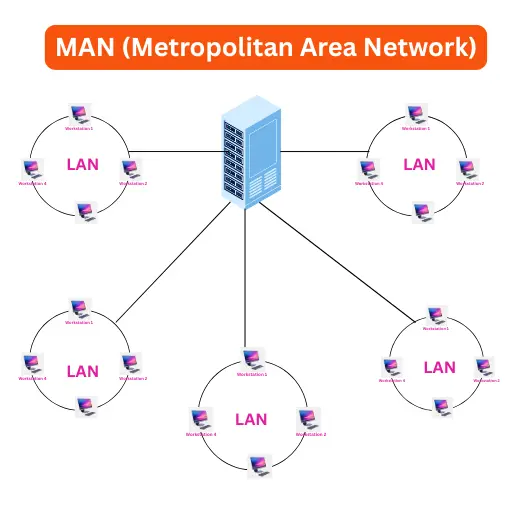
4. MAN (Metropolitan Area Network) – MAN is larger than LAN. It consists of two or more LANs spread across a city. It can cover an area of hundreds of kilometers in radius.Cable TN network, banks, hotels, and offices within a city are example of MANs. It can be wired or wireless.
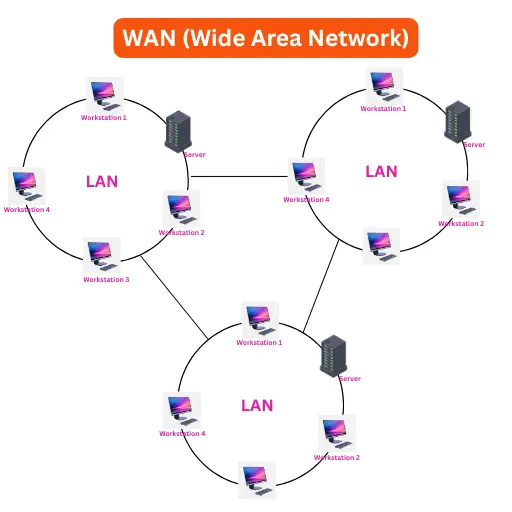
5. WAN (Wide Area Network) – WAN is a very large networks that connects computers across a country, a continents, or the world.It consists of multiple smaller network. Usually WANs use wireless technology. Internet, ATMs and business organisations etc.
Question 1 : What is Computer network?
A computer network is a group of computers connected together so they can share information and resources like files, printers, or the internet. These computers talk to each other using special rules called protocols. The connections between the computers can be made using wires, fiber cables, or wireless signals (like Wi-Fi).
Question 2: What are the uses of a Computer Network?
Computer networks help people talk and work together easily. You can send emails, chat, make voice or video calls, and even have video meetings. Networks also let people share things like printers, storage, and files. This means you don’t need a printer for every computer. You can also work together using many computers at the same time to finish big tasks faster.
Question 3: What are the advantage of Computer Network ?
A computer network helps computers work together. It saves time and money. We can update software from one place and share printers or scanners. It keeps data safe and helps us send files quickly.
Question 4: What is Modem?
A modem is a device that connects a computer to the Internet. It changes digital data from the computer into analog signals so it can travel through telephone lines or radio (this is called modulation). Then it changes the signals back into digital data at the other end (this is called demodulation).
This helps computers talk to each other and use the internet.
Question 5 : What is Router?
Router is a networking device that connects two or more networks. It receives and transmits data in the form of packets within a network or between different networks. it splits large data packet into smaller parts.
Question 6: What is Hub or Switch?
It is a networking device that has various ports to switch the computers, printers and other networking devices are connected. The basic difference is that switch is more smarter than hub. Hub receives a data packet from a computer and forward it to all other connected computers. A switch gets a data packet from one computer, figures out which computer it’s meant for, and sends it only to that computer.
Question 7: What is protocol? define any five types of protocols.
A protocol is like a set of rules that computers follow to talk to each other. Just like we need rules to play a game or traffic rules for driving, computers need rules to share information properly. Protocols ensure that devices on a network can communicate effectively. There are various types of protocols-
- HTTP ( Hypertext Transfer Protocol) : It is used to access websites and web services on World Wide Web. It is not secure. जब हम इंटरनेट पर कोई वेबसाइट खोलते हैं (जैसे www.google.com), या ऑनलाइन कुछ सेवाएं इस्तेमाल करते हैं (जैसे ऑनलाइन वीडियो देखना, गाना सुनना), तो यह प्रोटोकॉल कंप्यूटर और वेबसाइट के बीच सही तरीके से जानकारी भेजने और पाने का काम करता है।
- HTTPS (Hypertext Transfer Protocol Secure): It is a secure version of HTTP which is used for data transfer between web browser and website.
- FTP (File Transfer Protocol) : It is a set of rules that allow us to transfer files from server to client.
- TCP/IP : TCP/IP is the set of protocols used to send data packets over a network.
- SMTP (Simple Mail Transfer Protocol) : SMTP is used for transferring email messages over the network.
Question 8: Define Network architecture and its types.
Network Architecture : Computer Network Architecture is defined as the physical and logical design of the network. Types of Network architecture are-
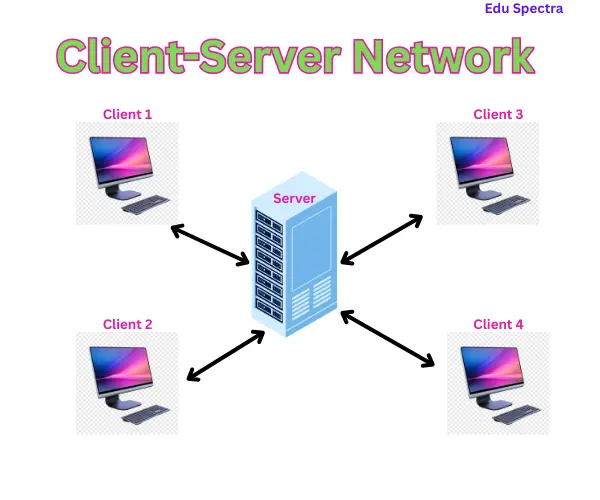
Client- Server Network – Its is a network in which multiple computers, known as clients are connected to the server. The client request the server for services and the server serves their requests.
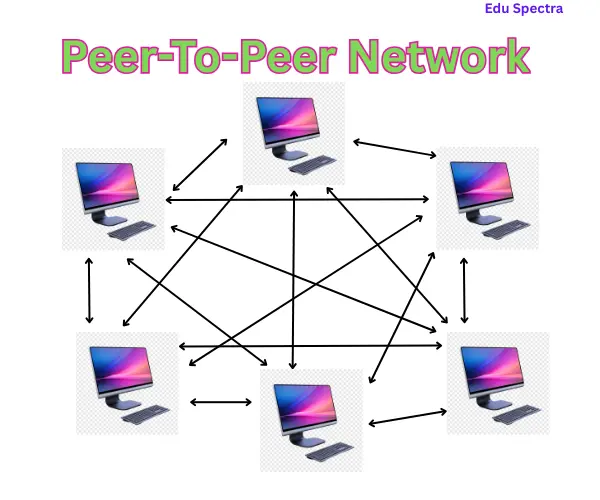
Peer-To-Peer Network: In peer-to-peer network, all connected computers have equal responsibilities. There is no central server in this network, every computer is both server and client.
Question 9. What is Topology? Difference between star topology and ring topology.
Topology : A network Topology is the physical arrangement in which computers and other network devices are connected with one another. In star topology , all nodes are connected to a central node, called a hub. It is easy to install and maintain. If central hub fails the entire network becomes unusable. Ring topology , each nodes is connected to two other nodes, it creates a circular data path, if one cable fails , can result in a breakdown of entire network.
Question 10. Write the full form of the following –
- FTP File Trasfer Protocol
- SMTP Simple mail trasfer protocol
- TCP/IP Transmission Control Protocol/ Internet Protocol
- NIC Network Interface Card
- MODEM Modulation Demodulation
- PAN Personal Area Network
- LAN Local Area Network
- MAN Metropolitan Area Network
- WAN Wide Area Network
- CAN Campus Area Network
- Kbps Kilobytes per second
- Mbps Megabytes per second
- HTTPS Hypertext Transfer Protocol Secure